Shift Happens: Telling Native 4K From Pixel-Pushed 1080p Before the Cashback Clock Runs Out
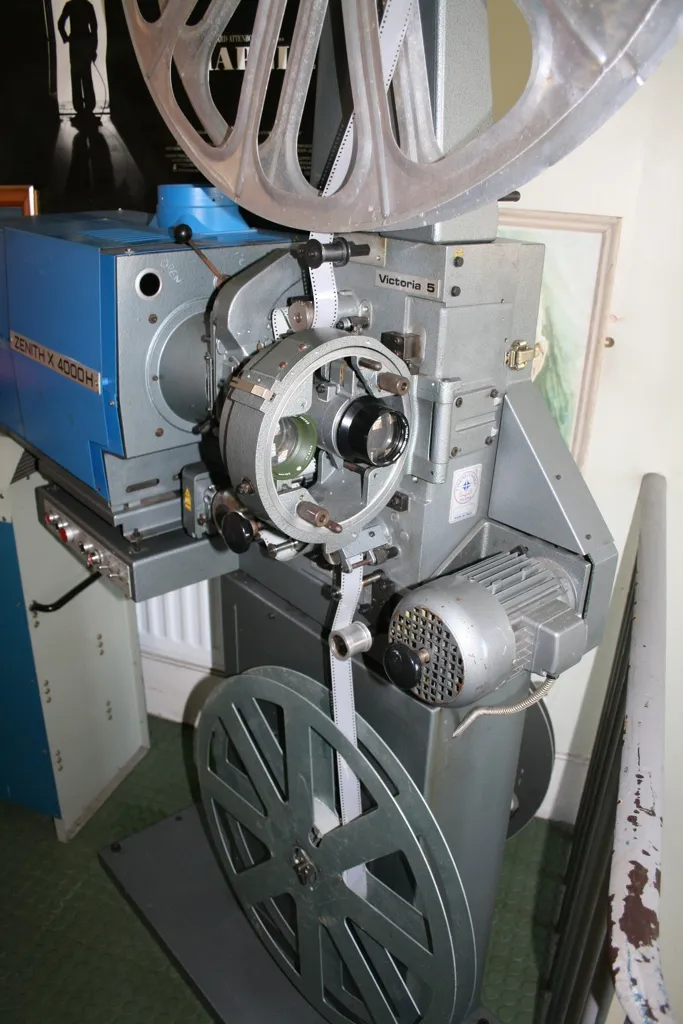
Photo: YellowFratello, CC BY-SA 4.0, via Wikimedia Commons
Nobody walks into a projector deal planning to argue about panel dimensions. You see "4K" in a product title on a Currys listing, a promising number on the spec table, a cashback offer on top, and the arithmetic looks tidy. Then the thing arrives, the picture looks slightly soft, and you start wondering whether you've been sold a resolution or a rumour.
This isn't a rant about marketing departments. Pixel shifting is a genuinely clever engineering trick, and a good implementation can look superb. The problem is that the word "4K" now covers at least four different physical realities, and only one of them is what most buyers think they've bought — which matters both for what you see on screen and for whether your cashback claim clears.
What Pixel Shifting Actually Does
A native 4K projector has 8.3 million physical pixels on its imaging device. Done. No movement required.
A pixel-shifting projector has far fewer — usually 2 million-ish from a 1080p panel — and it flashes them into four slightly different positions per frame, fast enough that your eye merges the results into something approaching a 4K image. DLP models do this with a mirror array and call it XPR. LCD models do it with a shifting glass element and call it 4K Enhancement or 4K PRO-UHD. Both are legitimate technologies. Neither puts 8.3 million pixels on the chip.
The visible result is usually very good — sharper than 1080p, less sharp than a true 4K panel, and dependent on how well the shifting is implemented. The commercial result is messier, because a projector with 2 million pixels and a 4K badge sits next to one with 8.3 million pixels and the same badge, at a very different price.
Four Ways a Spec Sheet Says "4K" Without Saying 4K
Read the specification table properly and you'll spot the wriggle room:
- "4K input" or "4K compatible" — the HDMI board accepts a 4K signal and then does something with it. Often downsamples it. Tells you nothing about the panel.
- "4K enhancement", "4K upscaling", "4K PRO-UHD" — pixel shifting, or in some cases just a sharpening algorithm on a 1080p image.
- "Supports 4K HDR" — the projector can read the metadata. Whether it can display the detail is a separate question.
- "True 4K" with no mention of the imaging device — usually genuine, but check the panel spec in the manual rather than the box.
The tell is almost always in the small print: look for the phrase "native resolution" and for the panel description. If the manual says "1920 x 1080 with 4-phase pixel shift", you know exactly where you stand, and it's a perfectly respectable place to stand.
Where the Cashback Clause Bites
Here's the bit that actually costs people money. Cashback promotions are administered by claims processors working from a list of eligible model numbers, and that list is narrower than the marketing. Three failures recur:
- The retailer changed the title, not the model. A listing that adds "4K" or "Ultra HD" to the headline doesn't change the SKU, which is what the claim form wants. Copy the model number from the carton, not the web page.
- Bundle SKUs and retailer exclusives. A projector sold with a spare lamp, a mount or a bundled streaming stick sometimes carries its own product code. If the terms list the bare projector, a bundle code can fail validation even though the hardware is identical.
- Promotional descriptions drifting from the spec sheet. Some offers require the model to meet a stated minimum specification — brightness, resolution, throw. If the promotional blurb claims 4K and the manufacturer's own datasheet says pixel shift, you can end up in a tedious exchange where the processor sides with the datasheet.
The fix is dull and effective: before you buy, download the cashback terms PDF and the manufacturer's spec sheet, and check the model number appears, spelled identically, in both.
The Price Tiers, Honestly
UK pricing in late 2026 splits roughly like this:
- Under about £700: expect genuine 1080p, or 1080p with a 4K input. Fine for a dark room and a 100-inch screen; don't buy it expecting 4K detail.
- £800–£1,600: the pixel-shift heartland. DLP XPR and LCD e-shift models live here, and this is where most UK buyers land. Sharpness is a real step up from 1080p.
- £2,000–£4,000: native 4K starts appearing, along with excellent 1080p-shifting models with premium lenses and better contrast. At this price, lens quality often matters more than pixel count.
- £5,000 and up: native 4K panels, serious optics, and a conversation about room treatment you're not ready for.
The Ten-Minute Test Pattern Check
You don't need calibration software. Put a USB stick in the projector with three PNG files at 3840 x 2160: a one-pixel checkerboard, a grid of single-pixel lines, and a page of small black text on white.
On a native 4K machine the checkerboard resolves as a clean fine texture. On a pixel-shifting model it typically shows softness and a faint moiré shimmer — not a fault, just physics. If the checkerboard turns into a flat grey mush, the projector isn't resolving anywhere near 4K detail regardless of what the badge says.
The text page is the more useful test. Small type should have clean edges at your normal seating distance. If letters look like they've been drawn in felt tip, no amount of pixel count is going to save the image, because the lens is the bottleneck.
Sharpness You Can Actually See
Be honest about your room. From 4 metres back, on a 100-inch screen, the difference between good pixel-shifted 4K and native 4K is subtle — noticeable on text and fine patterns, easy to miss on film. From 2.5 metres, it's obvious. Keystone correction also quietly eats resolution by resampling the image, so a badly placed projector can throw away more sharpness than a panel upgrade would ever add. Fix the mount before you fix the spec.
Before the Returns Window Shuts
Online purchases in the UK give you 14 days to cancel from delivery under the distance selling rules, and the Consumer Rights Act adds a 30-day short-term right to reject faulty goods. That's your window to run the test patterns, check the model number against the cashback terms, and photograph the serial label on the carton. If the resolution on screen doesn't match the resolution you thought you were buying, use the window — don't spend three months hoping it beds in.